What is SmartThings Find (Find My Mobile)?
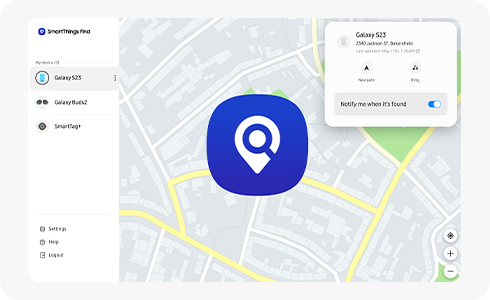
How to Use SmartThings Find to Locate Your Samsung Galaxy Devices
SmartThings Find is Samsung's integrated solution for locating lost Galaxy devices, including smartphones, tablets, wearables like Galaxy Watch and Galaxy Buds, and SmartTags. This service replaces the older Find My Mobile feature and offers enhanced functionality such as real-time location tracking, remote ringing, device locking, and location sharing with trusted contacts. To use SmartThings Find, ensure your devices are linked to a Samsung account and connected to the internet.
1. What Is SmartThings Find and How Does It Work?
SmartThings Find is a unified tracking service designed to help you locate your Samsung Galaxy devices and compatible accessories. It works by connecting your devices to a Samsung account, enabling you to track their location via the SmartThings app or website. Key features include:
- Real-time location tracking for registered devices.
- Remote activation of ringing sounds to help locate nearby devices.
- Device locking to protect personal data if a device is lost or stolen.
- Geofencing alerts to notify you when a device enters or leaves a specific area.
SmartThings Find supports multiple devices, allowing you to manage and track all your Samsung products from a single platform.
2. How to Enable and Use SmartThings Find
- Open the SmartThings app on your Samsung Galaxy device.
- Sign in with your Samsung account credentials.
- Navigate to the SmartThings Find section and enable the service.
- Ensure Find My Mobile is activated in your device settings (Settings > Samsung account > Find My Mobile).
- Register your devices and accessories, such as Galaxy Watch, Galaxy Buds, or SmartTags, to the SmartThings ecosystem.
3. Supported Samsung Galaxy Devices
SmartThings Find is compatible with a wide range of Samsung Galaxy devices, including:
- Galaxy S24, S25, and S26 series smartphones.
- Galaxy Z Fold and Galaxy Z Flip foldable devices.
- Galaxy Tab tablets.
- Galaxy Watch wearables.
- Galaxy Buds earbuds.
- SmartTags and third-party SmartTag-compatible devices.
4. Why SmartThings Find May Not Work
If SmartThings Find fails to locate your device, consider the following common issues:
- The device is offline or lacks an active internet connection.
- Find My Mobile is disabled in device settings.
- The device's location services are turned off.
- The device is outside the coverage area of SmartThings Find.
5. Additional Things to Check
To ensure optimal performance of SmartThings Find, verify the following:
- Your Samsung account is properly linked to all devices.
- The SmartThings app is updated to the latest version.
- Location services are enabled on the device being tracked.
- The device has sufficient battery life to maintain connectivity.
Related Samsung Support Topics
Thank you for your feedback!
Please answer all questions.